Apple has launched the iPad Air with a new M3 chip. This chip makes the iPad Air 34% faster than the M1 model. The entry-level iPad also got a boost, with more storage and better performance.
The new iPad Air is super fast. The entry-level iPad now has 128GB of storage. This is double what it had before. Apple wants to give users devices that are both powerful and easy to use.
Introduction to the New iPad Models
Apple has released new iPads. The iPad Air and the updated entry-level iPad are here. They are perfect for work, creative projects, and daily use.
These updates are making a big splash. People are excited to try them out. Apple is always working to make better devices for us.
Key Features and Updates
The new iPads have lots of cool features. They are faster, have more storage, and are packed with advanced tech. These devices are great for anyone who wants a powerful tool.
Apple has made these iPads for everyone. Whether you need them for work or play, they are ready. The iPad Air with M3 chip and the updated entry-level iPad are here to impress.
Key Takeaways
- Apple launches iPad Air with M3 chip, providing a 34% faster CPU
- Entry-level iPad updated with improved performance and doubled storage
- New iPad Air features a faster CPU and advanced features
- Entry-level iPad now starts with 128GB of storage, a 100% increase from the previous 64GB
- Apple news highlights the company’s commitment to providing users with more powerful and efficient devices
- Updates make the new iPad Air and entry-level iPad ideal for demanding tasks, creative projects, and everyday use
Overview of the New iPad Air and Entry-Level iPad Updates
The latest Apple product release is exciting. It brings big updates to the iPad Air and entry-level iPad. The new iPad Air is almost 2x faster than before. This is thanks to the M3 chip, which boosts CPU and graphics performance by up to 35% and 40% respectively.
The entry-level iPad now has the A16 chip. This chip gives it a 30% performance boost over the old model. These changes make both iPads faster and more efficient. Users will get a smooth and quick experience.
Some key specs of the new iPads are:
- 11-inch iPad Air: starts at $599, with 128GB, 256GB, and 512GB storage options
- 13-inch iPad Air: starts at $799, with 128GB, 256GB, and 512GB storage options
- Entry-level iPad: starts at $349, with 128GB, 256GB, and 512GB storage options
Apple keeps making their iPads better with each update. The iPad Air is now a top pick for those needing a fast and efficient device. It’s great for work or fun.
What Makes the M3 Chip Stand Out?
The M3 chip is a big step up in iPad Air technology. It offers better performance and uses less energy. It has an 8-core CPU and a 9-core GPU.
This means the chip is up to 35% faster at handling tasks. It’s also up to 40% faster at graphics. This makes the M3 chip great for tough tasks and smooth user experiences.
The M3 chip focuses on better graphics. It has features like dynamic caching and ray tracing. These help make graphics look more real and fun.
It also has a 16-core Neural Engine. This boosts machine learning and AI tasks. The M3 chip is perfect for gaming and graphics work.
Some of the key benefits of the M3 chip include:
- Up to 35% faster CPU performance
- Up to 40% faster graphics performance
- Advanced graphics architecture with dynamic caching, hardware-accelerated mesh shading, and ray tracing
- 16-core Neural Engine for improved machine learning and AI performance
The M3 chip is powerful and efficient. It makes the iPad Air a top choice for a high-performance tablet. It’s great for gaming, graphics design, video editing, and more.
Design Changes in the New iPad Models
The latest iPad updates from Apple bring a fresh look to the iPad Air. They focus on aesthetics and build quality. There are two sizes, 11-inch and 13-inch, for the perfect fit.
Color options like blue, purple, starlight, and space gray add personality. This makes the device stand out.
The new iPad Air models are lighter. The 13-inch version is 1 gram lighter. The 11-inch version is 2 grams lighter. This makes them easy to carry around.
The design is both functional and visually appealing. It’s a great choice for those who value both form and function.
Some key features of the new iPad Air include:
- 11-inch and 13-inch sizes
- Range of color options: blue, purple, starlight, and space gray
- Lighter design: 1 gram lighter for the 13-inch version and 2 grams lighter for the 11-inch version
The latest iPad updates, including the new iPad Air, are part of Apple’s latest Apple product release. They show Apple’s commitment to innovation and design.
Users can expect a better overall experience. The sleek design and improved performance are key. Whether for work or play, the new iPad Air is a great choice.
Running iPadOS: What to Expect
The new iPad Air runs on the latest iPadOS. This brings exciting new software features. With iPad Air technology, you get better multitasking, more security, and cool Apple Pencil support. The updated entry-level iPad also uses iPadOS, making both devices work well together.
Some of the key features of iPadOS include:
- Improved performance
- Enhanced security
- Advanced Apple Pencil support
The new iPad Air and the updated entry-level iPad have many benefits. They offer better performance, more security, and access to lots of apps and features. With iPadOS, using your device becomes easier and more fun, whether you’re creating, working, or playing.
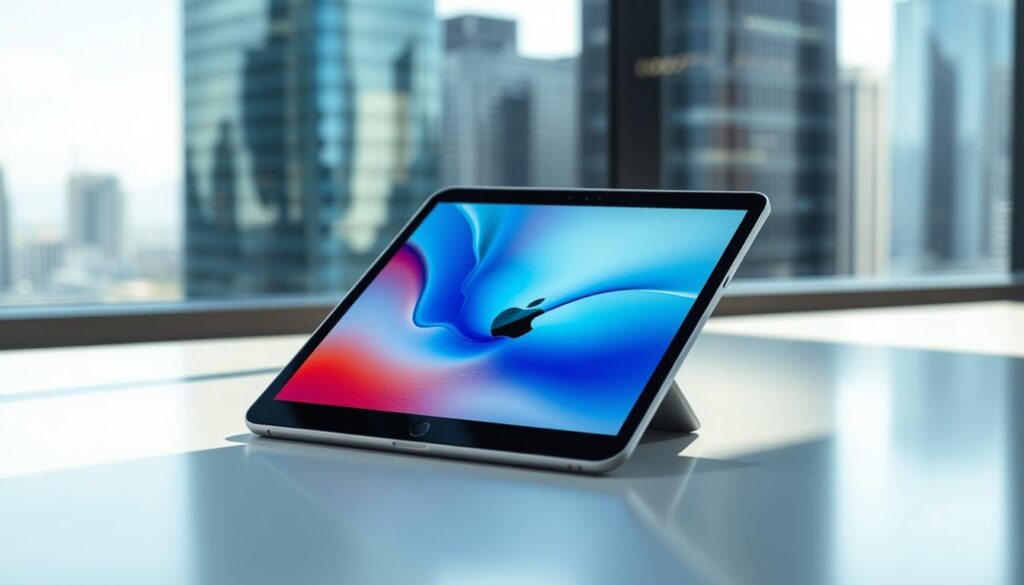
The new iPad Air and the updated entry-level iPad bring lots of cool features and improvements. They are perfect for anyone wanting to upgrade their tablet experience.
| Device | Processor | Performance |
|---|---|---|
| iPad Air | M3 | Up to 2x faster than iPad Air with M1 |
| Entry-level iPad | A16 | Up to 30% faster than previous generation |
Target Audience for the New iPad Air
The latest Apple news shows the new iPad Air is for many users. It’s great for students, workers, and creatives. It has cool features for taking notes, making documents, and designing graphics.
The iPad Air features are perfect for school and work. It’s a strong tool to help you work better.
The new iPad Air has better multitasking, more security, and supports the Apple Pencil well. It’s perfect for those who need a device for tough tasks. It’s great for students and professionals alike.
- Graphic design and digital art creation
- Video editing and production
- Document creation and management
- Presentations and group projects
The new iPad Air is versatile and powerful. It’s great for many tasks. Keep up with Apple news to learn more about it.
Pricing and Availability Details
The latest iPad updates from Apple are now up for pre-order. The new iPad Air starts at $599 for the 11-inch Wi-Fi model. The 13-inch Wi-Fi model costs $799. The updated entry-level iPad starts at $349 for Wi-Fi and $499 for Wi-Fi + Cellular. These prices make the latest iPads a great choice for upgrades.
Apple’s new products come with many features and improvements. The M3 chip makes things faster and uses less energy. The 13-inch iPad Air M3 can even get up to 600 nits of brightness.
- Starting price of $599 for the 11-inch Wi-Fi model
- Starting price of $799 for the 13-inch Wi-Fi model
- Updated entry-level iPad starting at $349 for the Wi-Fi model
- Enhanced performance and energy efficiency with the M3 chip
- Improved battery life and up to 600 nits of brightness
Pre-orders for the new iPads are now open. They will be available starting March 12. You can pre-order online or in-store. Apple Pay, credit cards, and financing plans are all payment options. Apple keeps making devices that are both innovative and powerful.
How the New iPads Compare to Previous Models
The latest iPad Air is super fast thanks to the M3 chip. It has an 8-core CPU and a 9-core GPU. This means it’s up to 35% faster at doing things and up to 40% faster at showing pictures and videos.
Performance Benchmarks
The new iPad Air is almost 2x faster than the old one. It’s also 3.5x faster than the iPad Air with A14 Bionic. The M3 chip’s 8-core CPU is 35% faster than the iPad Air with M1.
User Reviews and Feedback
People love the new iPad Air. They say it’s fast, has a great screen, and lasts a long time. The iPad Air technology is very efficient and powerful. It’s perfect for anyone who wants a fast and reliable device. The M3 chip details make it even better.
| Model | CPU Performance | Graphics Performance |
|---|---|---|
| iPad Air with M3 | Up to 35% faster | Up to 40% faster |
| iPad Air with M1 | Up to 20% faster | Up to 30% faster |
| iPad Air with A14 Bionic | Up to 15% faster | Up to 25% faster |
Accessories and Add-ons for the New iPads
The new iPad Air works with many accessories. You can get the Magic Keyboard, Apple Pencil, and Clear Case. These items make using the iPad Air better and more fun.
For example, the Magic Keyboard has a new function row. It also has a bigger trackpad. This makes typing and moving around easier.
Some key accessories for the new iPad Air are:
- Magic Keyboard: a keyboard made just for the iPad Air, with a new function row and a bigger trackpad
- Apple Pencil: a stylus for drawing and graphic design
- Clear Case: a case that protects the iPad Air
These accessories let you make the iPad Air your own. You can use the Apple Pencil for art. Or the Magic Keyboard for typing emails. The latest Apple news makes the iPad Air even better.
The iPad Air can use many accessories to get better. The Magic Keyboard has a 14-key function row and a big trackpad. This makes typing and moving around easy. The Apple Pencil is great for art and design. With these new accessories, the iPad Air is perfect for anyone.
Tips for Making the Most of Your New iPad
To get the most out of your new iPad, explore its features and apps. The iPad Air technology has tools for productivity and creativity. With the latest updates, you get better performance and new features.
Great apps for iPad Air users include Microsoft Office, Adobe Creative Cloud, and Google Drive. These apps help you make documents, presentations, and spreadsheets. You can also edit photos and videos. The iPad Air works with many apps, making it easy to share files.
Productivity Hacks
To be more productive, use the iPad’s built-in apps like Notes and Reminders. These apps help you organize notes and stay on track with tasks. The iPad also lets you use multiple apps at once, making work easier.
Here are some tips to help you make the most of your new iPad:
- Explore the App Store to discover new apps and features
- Use the iPad’s built-in productivity tools, such as Notes and Reminders
- Take advantage of the iPad’s multitasking capabilities
- Stay up-to-date with the latest iPad updates to ensure you have the latest features and security patches
By following these tips and exploring the various features and apps available, you can unlock the full potentia of your new iPad. Enjoy a more productive and creative experience.
| App | Description |
|---|---|
| Microsoft Office | A suite of productivity apps, including Word, Excel, and PowerPoint |
| Adobe Creative Cloud | A collection of creative apps, including Photoshop and Illustrator |
| Google Drive | A cloud storage service that allows users to access and share files |
Conclusion: Are the New iPads Worth It?
The new iPad Air and the updated entry-level iPad are great choices from Apple. They offer many improvements and new features. The iPad Air has a powerful M3 chip for better performance and a sleek design.
The entry-level iPad has an A16 chip for a good price. It doesn’t lose out on important features. Both iPads are good for different needs and budgets.
Choosing between the iPad Air and the entry-level iPad depends on what you need. The iPad Air is perfect for professionals and artists. It supports the latest Apple Pencil and has a 13-inch size.
The entry-level iPad is great for casual users and students. It’s perfect for those who need a tablet for everyday tasks. Apple keeps making its tablets better for all kinds of users.
So, if you’re looking for a new tablet, the new iPads are worth checking out. They are great for work or just for fun. They make excellent companions for your daily needs.